Use the steps below to cancel your enrollment in a course.
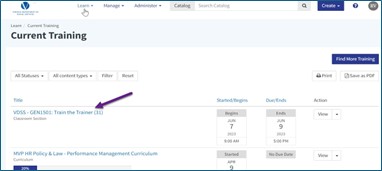
Option 1: From the home screen
- Select the course you want to cancel (See screen capture below)
Option 2: From your transcript
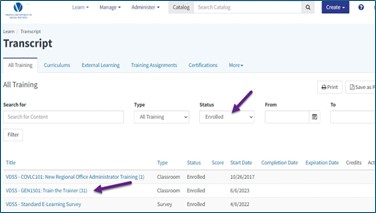
- Go to your Transcript.
- Filter by Enrolled status.
- Select the course. (See screen capture below)
Step 3: Cancel enrollment
From the Overview tab:
- Scroll to the Enrolled section.
- Click Cancel Enrollment (See screen capture below)

Or from the Schedule tab:
- Find the Enrolled section.
- Click Cancel Enrollment (See screen capture below)

Tip
Cancel as early as possible to avoid being marked absent and to allow others to take your spot.
 /
Virginia Learning Center / Tips on using the VLC / Learner / How to Cancel Enrollment
/
Virginia Learning Center / Tips on using the VLC / Learner / How to Cancel Enrollment





 Find my local department